1. Load MRI data
Choose a NIfTI image or DICOM folder. Loading displays the scan; segmentation starts only when you run it.
MRI muscle segmentation in the browser
MuscleMap loads NIfTI or DICOM data, runs MONAI-based segmentation with ONNX Runtime Web, and displays downloadable muscle-label maps without sending patient data to a server.
Patient images, voxel values, screenshots, and generated segmentations stay on this computer.
Choose a NIfTI image or DICOM folder. Loading displays the scan; segmentation starts only when you run it.
Select the body-region model and quality settings, then run browser-side inference and cleanup.
Inspect the overlay, review detected muscles and volumes, then download the segmentation as NIfTI.
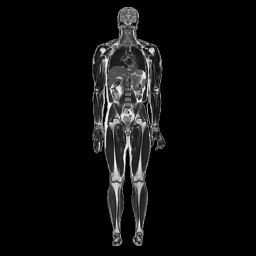
Whole-body muscle segmentation in the browser
MuscleMap is a browser-based tool for automatic segmentation of 99 muscles from whole-body MRI using a MONAI 2D UNet model.
All computation runs locally in your browser using ONNX Runtime Web. Patient data is not uploaded to any server.
